







Baseus Presenter Wireless Orange Dot, Gri ACFYB-B0G reviews
Product details
Product description
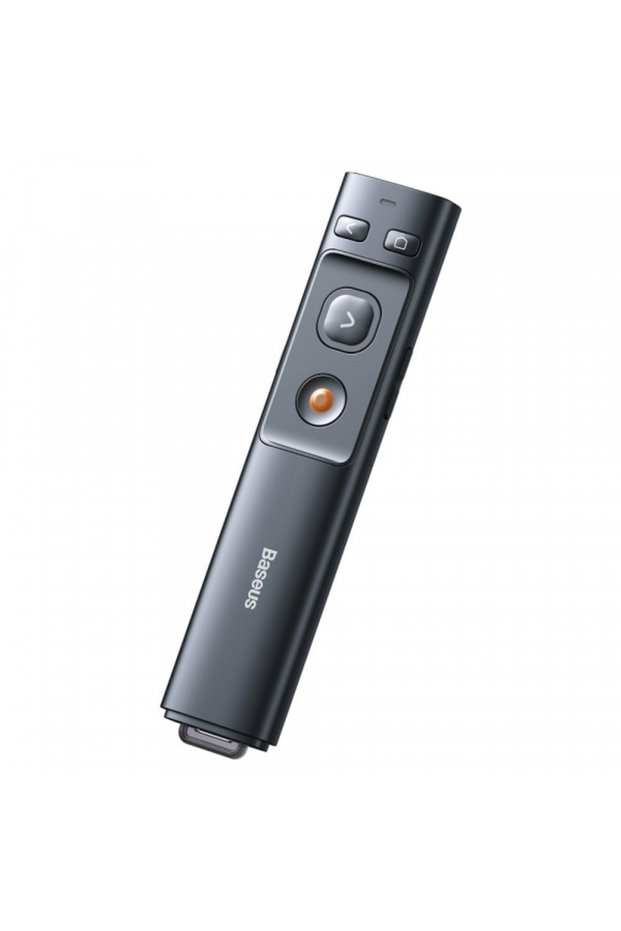
Compatibility with your existing setup is the first question you ask when buying a presenter, and in the case of the baseus orange dot in the acfyb-b0g version, the answer covers both windows and mac. it is a multifunctional and ergonomic remote control, designed for business and educational environments. the code in the name is important when ordering, as the same model is available in several versions. ✔ new product, sealed — original, unopened packaging ⠀ ⠀ ⠀ ⠀ ⠀ ⠀ ⠀ ⠀ ⠀ ⠀ Why is compatibility with two systems important? During courses and sessions, you’ll find a mix of windows and mac laptops, and you won’t know in advance which one you’ll be using. having a device that works on both operating systems eliminates a potential source of stress. you won’t have to carry two different accessories for two different situations. Even so, do a quick test on the computer that will actually be used. some configurations have security restrictions for newly connected usb devices. five minutes of testing before the event will save you from an embarrassing situation in front of the audience. ⠀ ⠀ ⠀ ⠀ ⠀ ⠀ ⠀ ⠀ ⠀ ⠀ ⠀ ⠀ How to hold an ergonomic device. A one-hour presentation means you have an hour to work with the device in your hand, so the design really matters. a device that fits comfortably in your hand allows you to press the buttons without having to look at them. this is important because your focus needs to remain on the audience. First, learn the positions of the buttons, holding the remote control and looking away. after a couple of repetitions, you’ll be able to navigate by reflex. anyone who presses a button in the middle of a sentence will lose the rhythm they’ve built up. ⠀ ⠀ ⠀ ⠀ ⠀ ⠀ ⠀ ⠀ ⠀ ⠀ Pre-event checks. The day before, take it out of the bag and turn it on, then connect the receiver and run a few test slides. check it from the distance at which you will actually be in the room, not from next to the laptop. if you are also using a projector, test the entire setup, not just the remote control. Prepare the appropriate backup power supply, just as you would for the model you have on hand. put the receiver back in its place immediately after testing, so it doesn’t end up on the table. a bag containing everything you need means a presentation without any surprises. ⠀ Technical specifications Smart functions Turn on/off screen Wide compatibility Windows, macos, linux, raspbianos Area of action Up to 100m
Additional info
- EU Responsible details are here.
- Please refer to the actual product packaging or the user manual for information regarding storage conditions.
- A maximum of 5 units of this product can be ordered. Trendyol reserves the right to cancel orders over 5 units.
- Sold and fulfilled by .
- Barcode No: 6953156224742