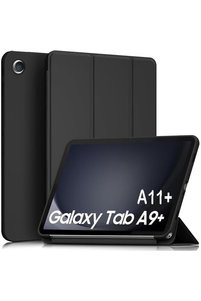
Infinity Enterprise Privacy Screen Protector for Tecno Spark 4
-50%
(incl. VAT)
Shipped from: Romania

Trendyol's commitments

Easy and free return in 30 days.


Highlighted features:
Infinity Enterprise Privacy Screen Protector for Tecno Spark 4 features
Infinity Enterprise Privacy Screen Protector for Tecno Spark 4 reviews
Product details

Product description
Privacy screen film for tecno spark 4, premium infinity enterprise protection for phone screen hydrogel full adhesive, silicone, complete kit for easy installation film without bubbles in maximum 48 hours! - the film has a matte finish, and thanks to the latest technology, fingerprints and small scratches will disappear within a maximum of 24 hours.
easy and quick installation! The installation is very easy, no experience is required, and everyone can install it.
► The film is full adhesive self stick.
► Kit contents: - wet and dry wipes - squeegee - screen protector film - user manual privacy - protect your important data! Recommended for data protection from those around you.
this privacy film protects the screen and personal information. Those next to you cannot see what is shown on the screen. this is because the film darkens the colors of the screen and the content on the screen cannot be seen when viewed from side angles.
screen colors will not change, sensor will work after re-entering the phone settings
► Installation steps: - clean the entire screen surface. Peel off the protector from the foil. Place the foil on the screen surface and spread the foil with a squeegee to remove any remaining dust. Lift the foil from the bottom to the middle, and when removing the base, press the squeegee on the foil.
- repeat the previous step for the next section of the screen. Remove the protective film covering the installed foil.
► The foil is transparent, does not make it difficult to touch, does not change the colors.
► Pleasant appearance helps to protect against scratches and bumps.
► Designed using the latest generation technology from high quality flexible silicone hydrogel ► The folio has exact cutouts for the phone model.
easy application without air bubbles.
does not affect the appearance or functionality of the film screen.
► The film perfectly fits the phone screen
Additional info
- EU Responsible details are here.
- A maximum of 10 units of this product can be ordered. Trendyol reserves the right to cancel orders over 10 units.
- Sold and fulfilled by .
- Barcode No: INF-5940575066092