


Select country
Women
Men
Dreamlike Deals
Home
Electronics
Supermarket
Beauty
Fashion
Kids & Toys
Shoes & Bags
Sports & Outdoor
Home Improvement
Books & Stationery
Trendyol Collection
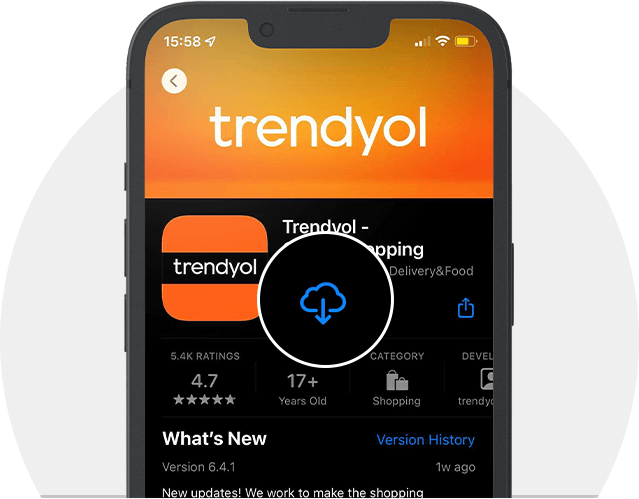
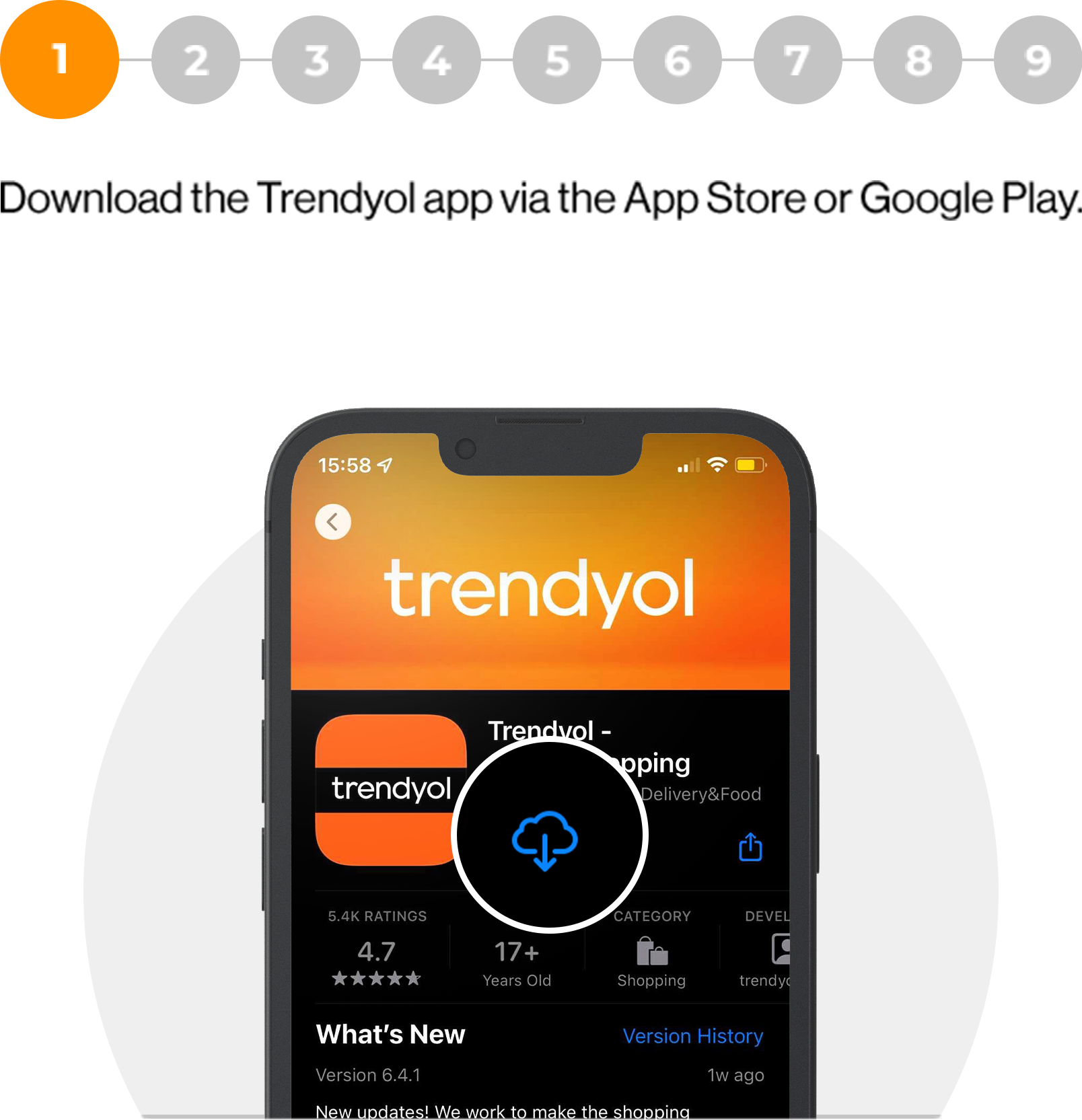
Download the Trendyol app via the App Store
or Google Play.
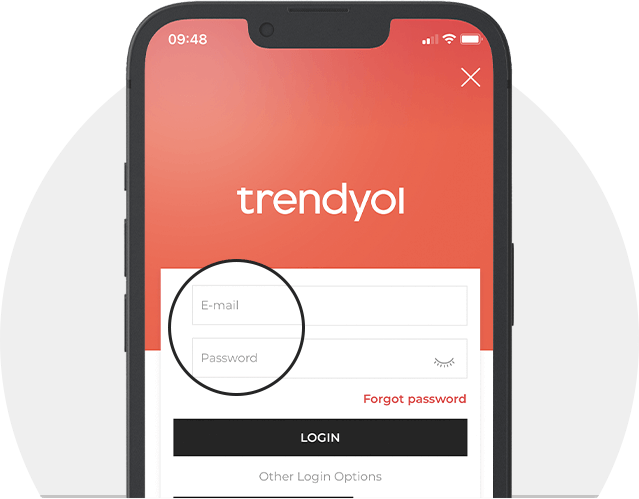
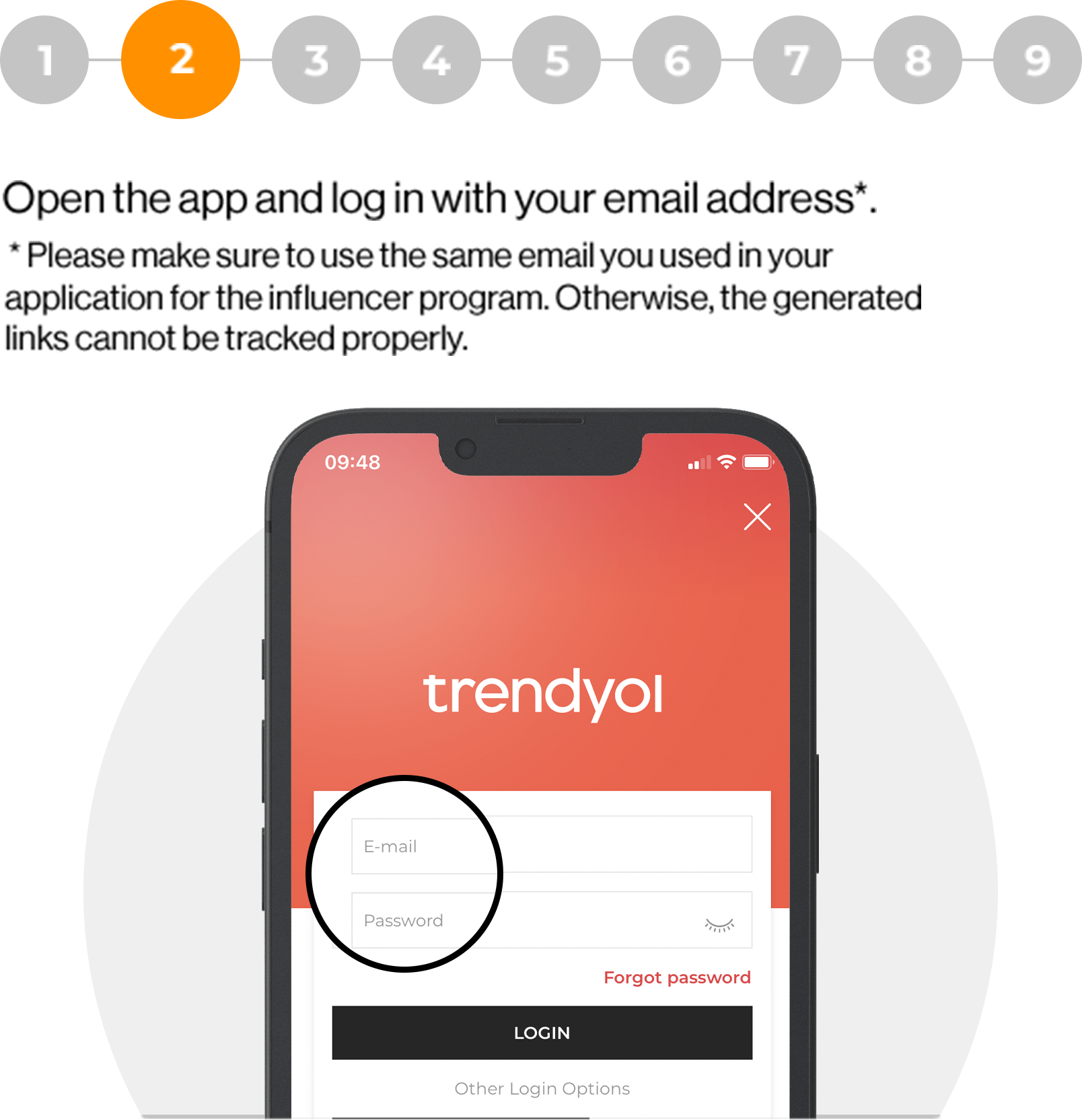
Open the app and log in with your email address*.
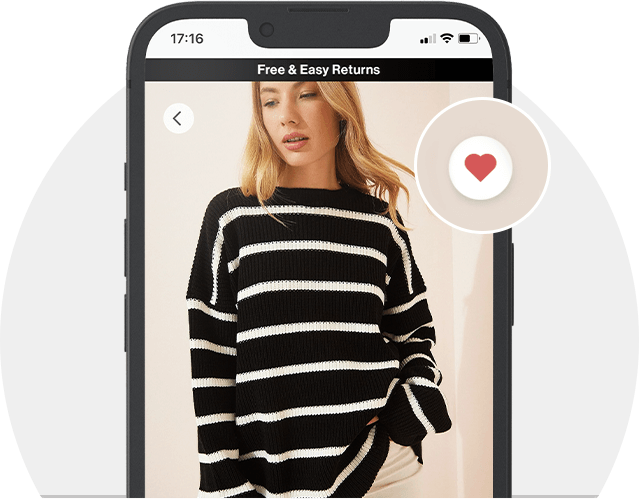
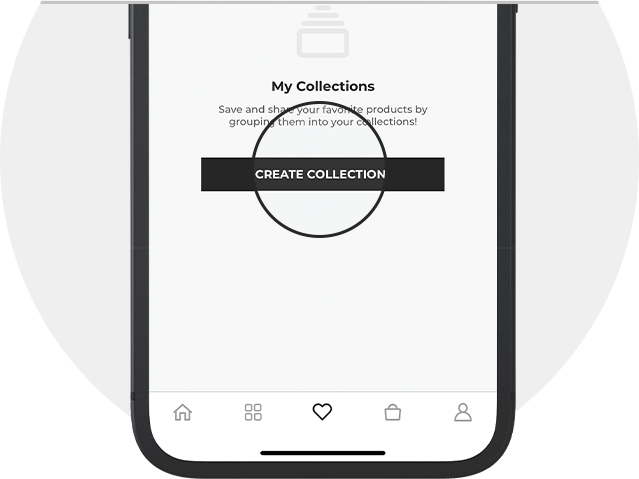
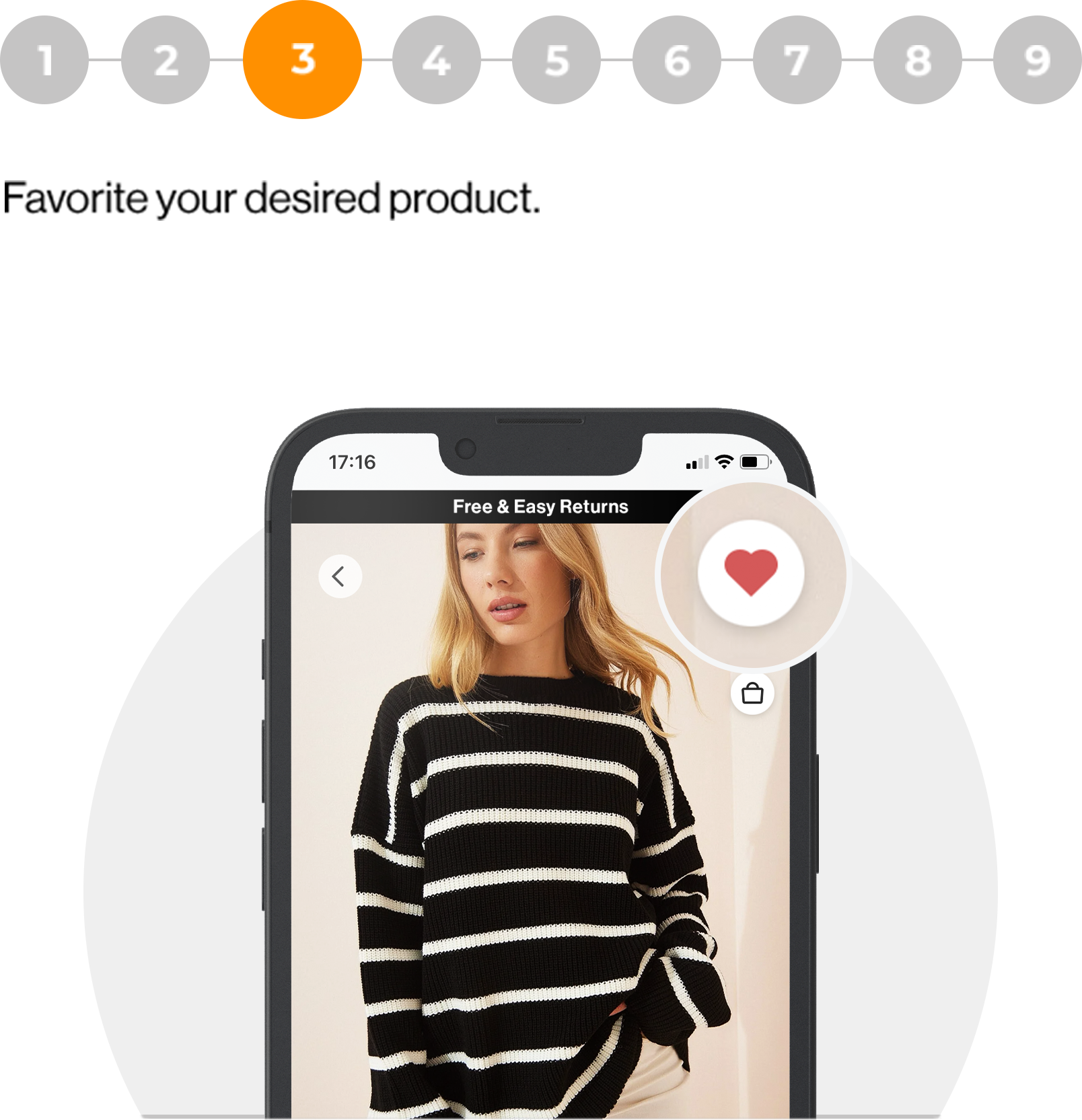
Favorite your desired product.
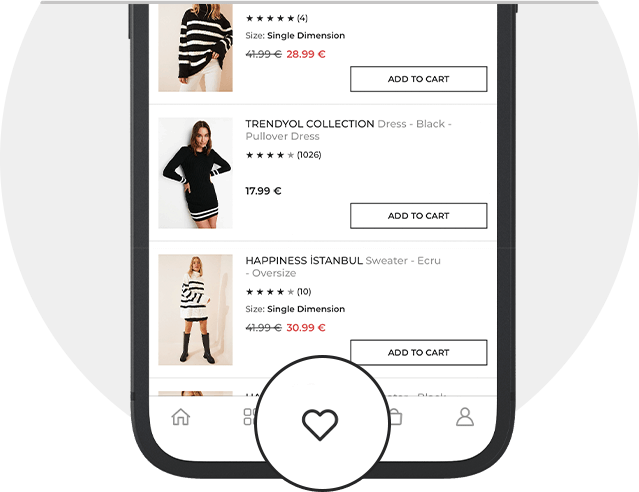
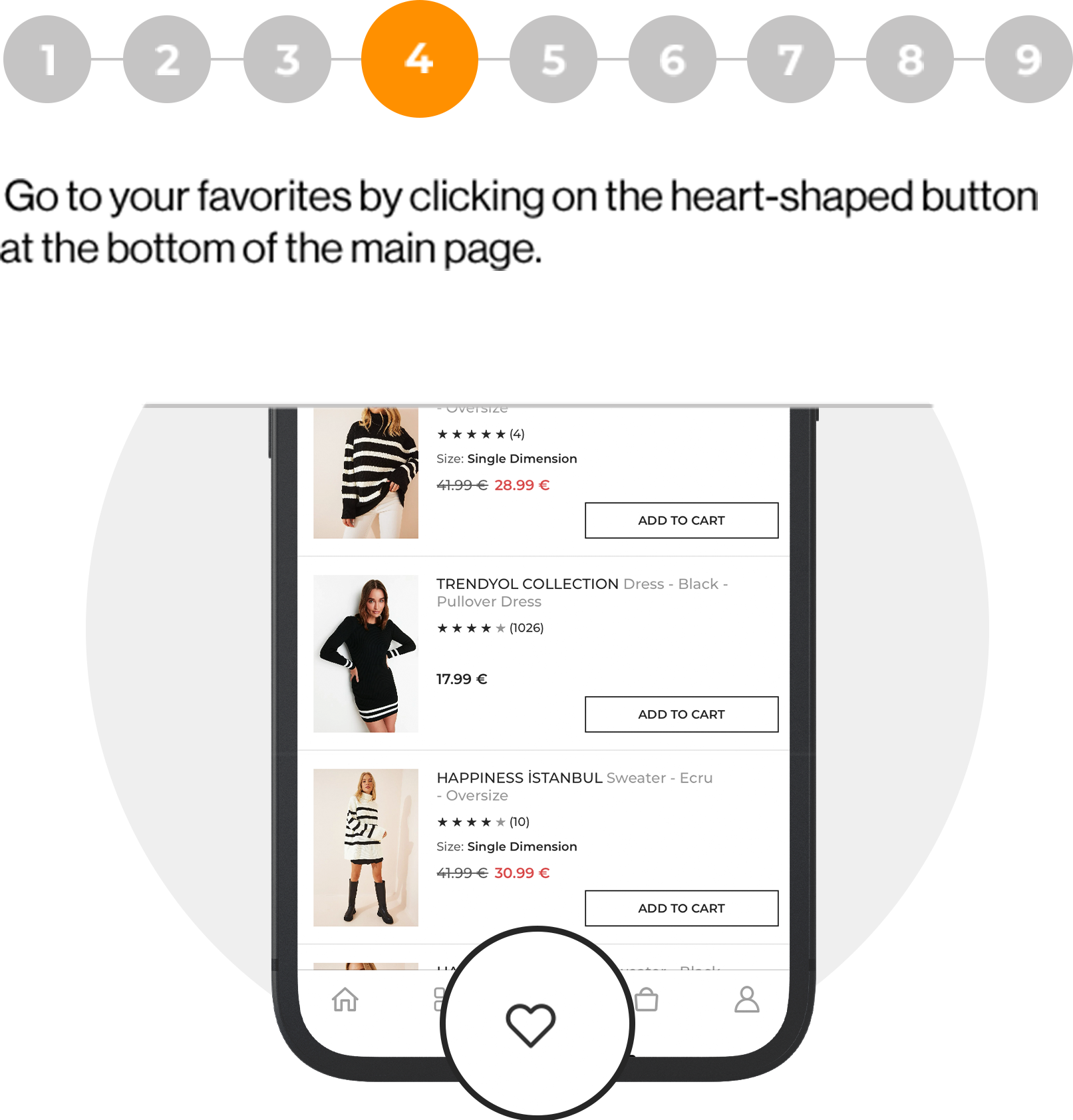
Go to your favorites by clicking on the heart-shaped button
at the bottom of the main page.
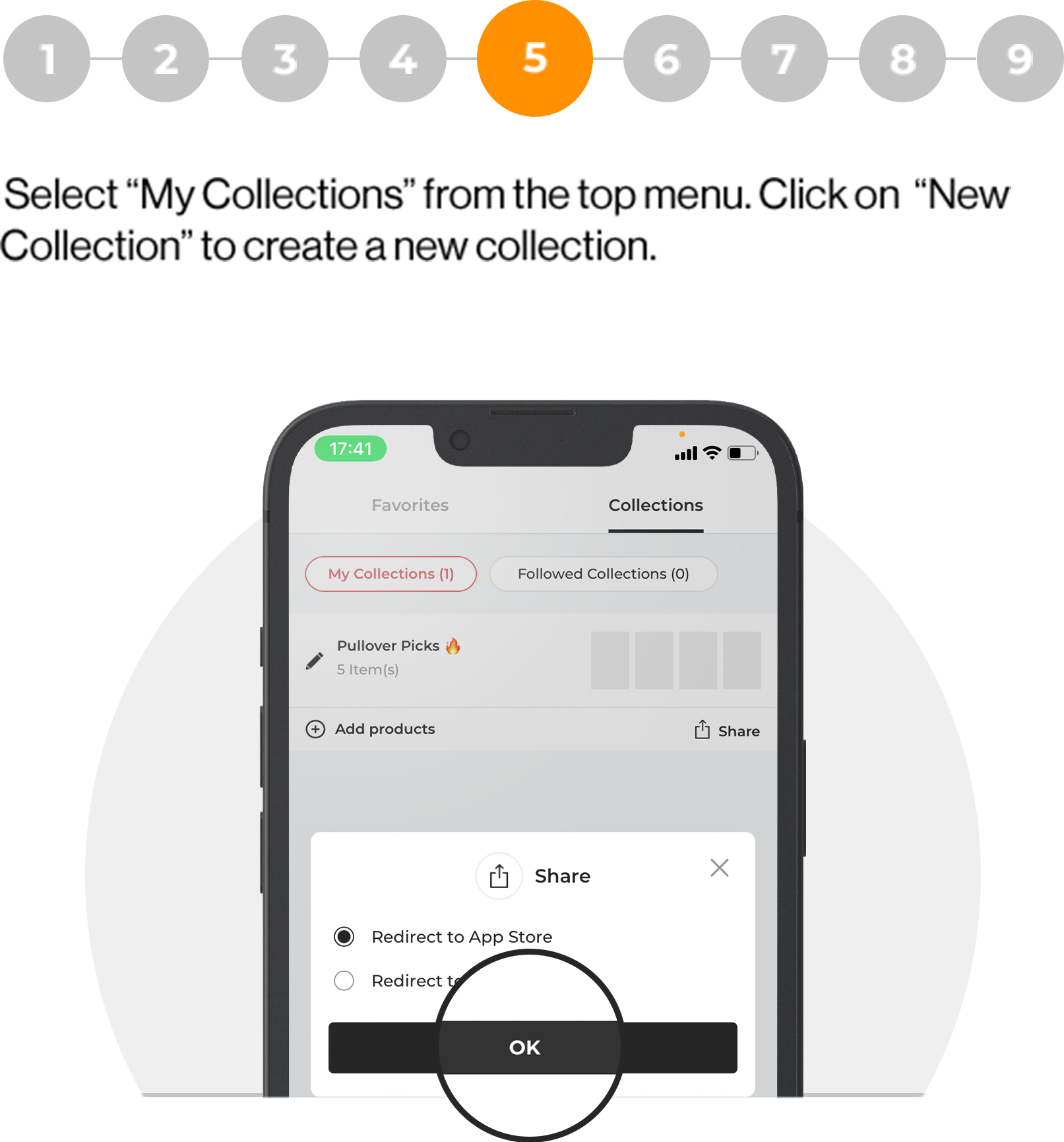
Select “My Collections” from the top menu. Click on “New Collection” to create a new collection.
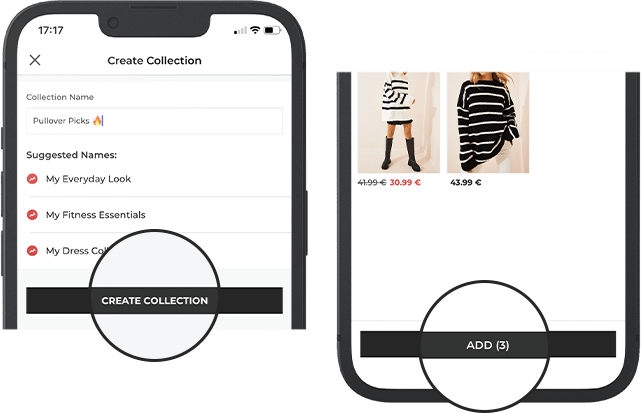
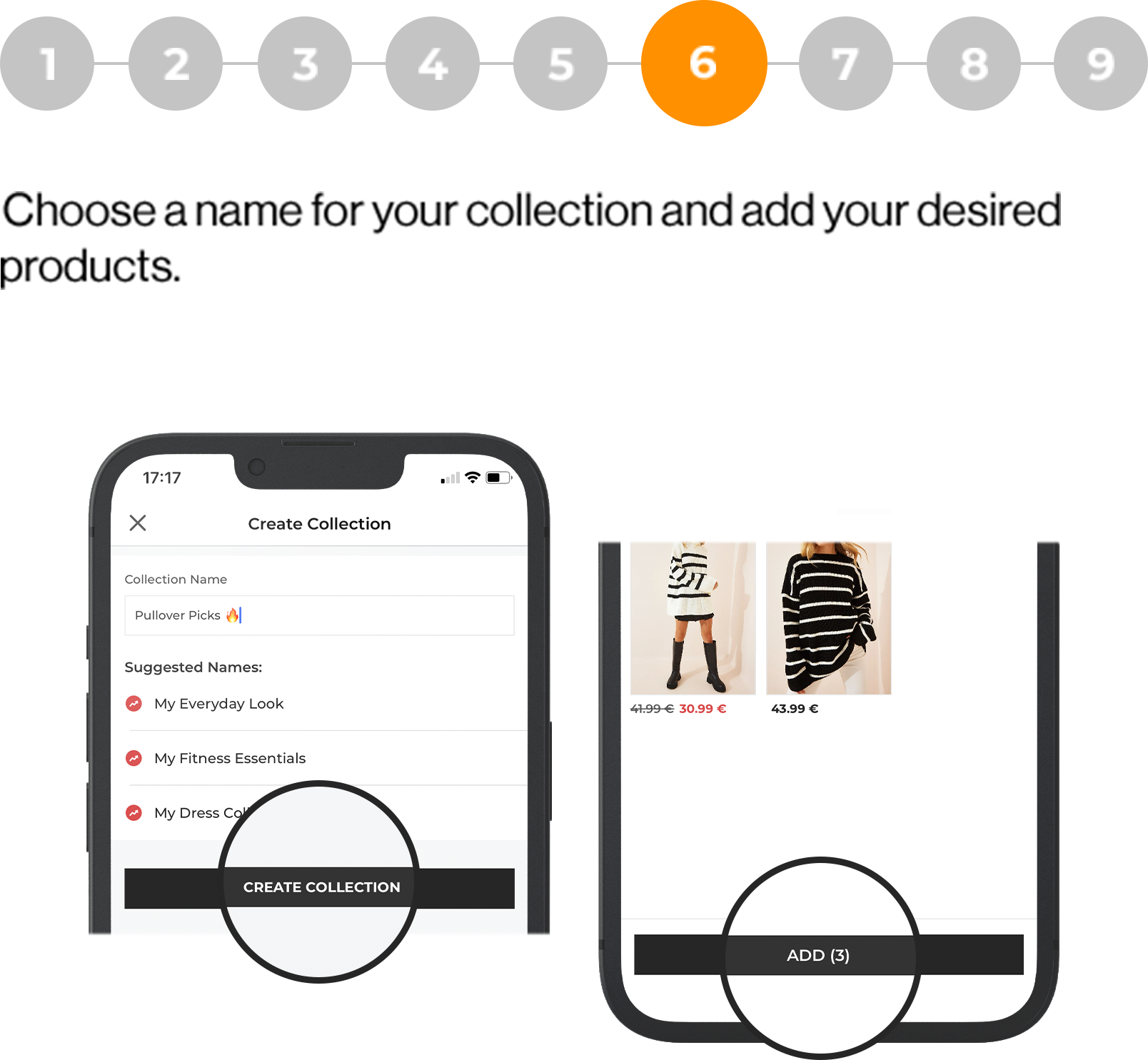
Choose a name for your collection and add your
desired products.
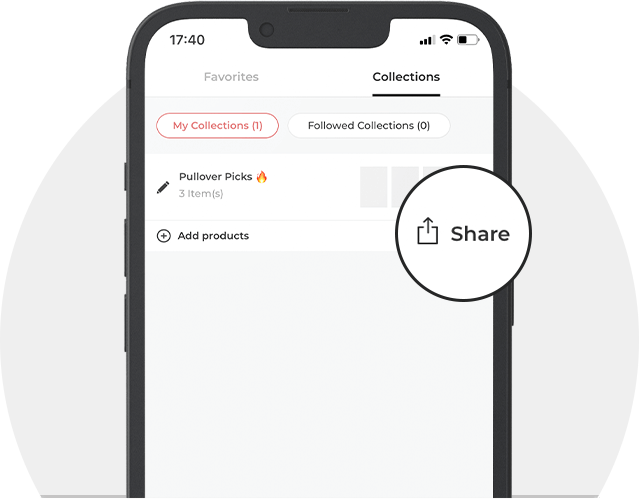
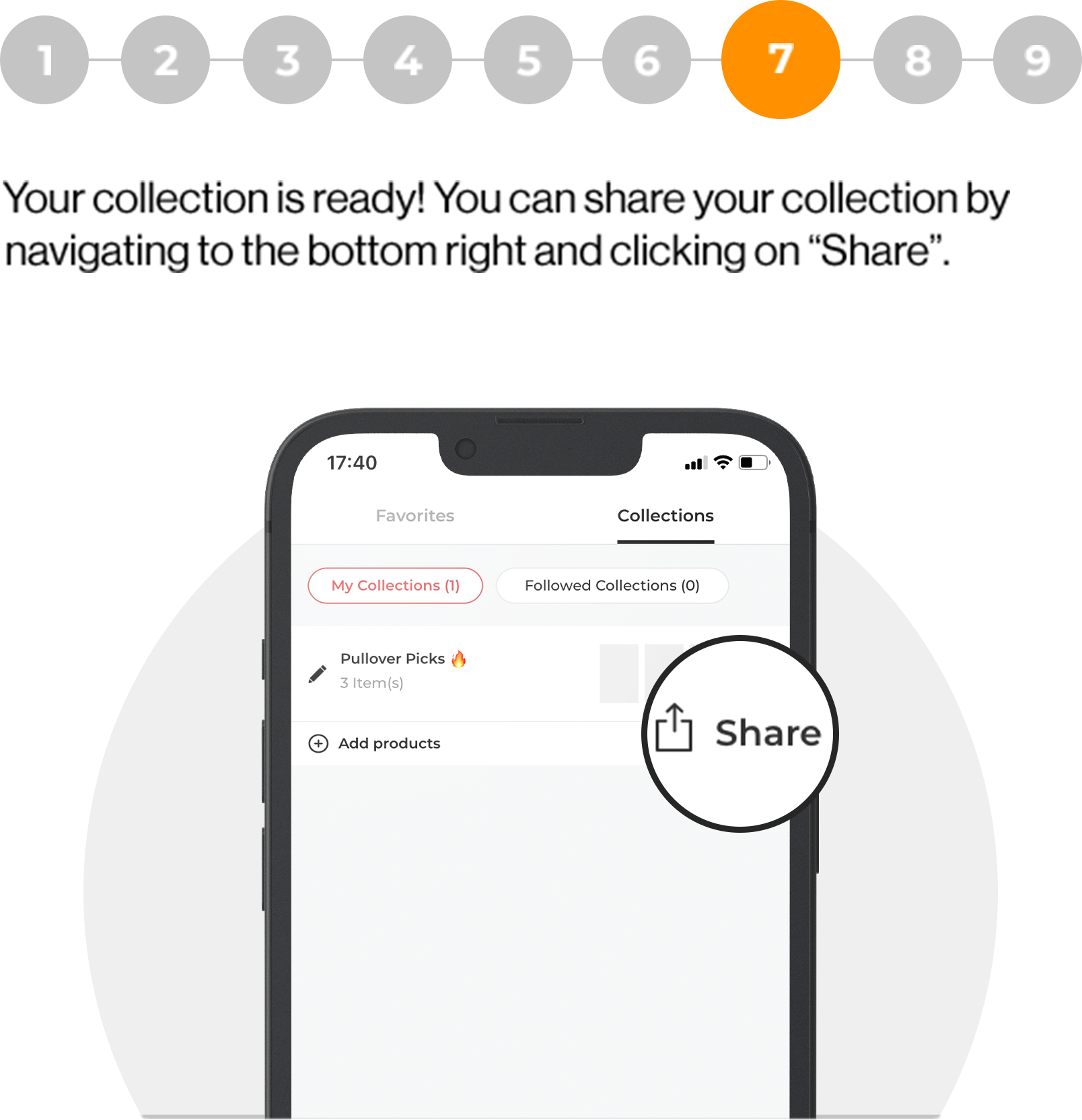
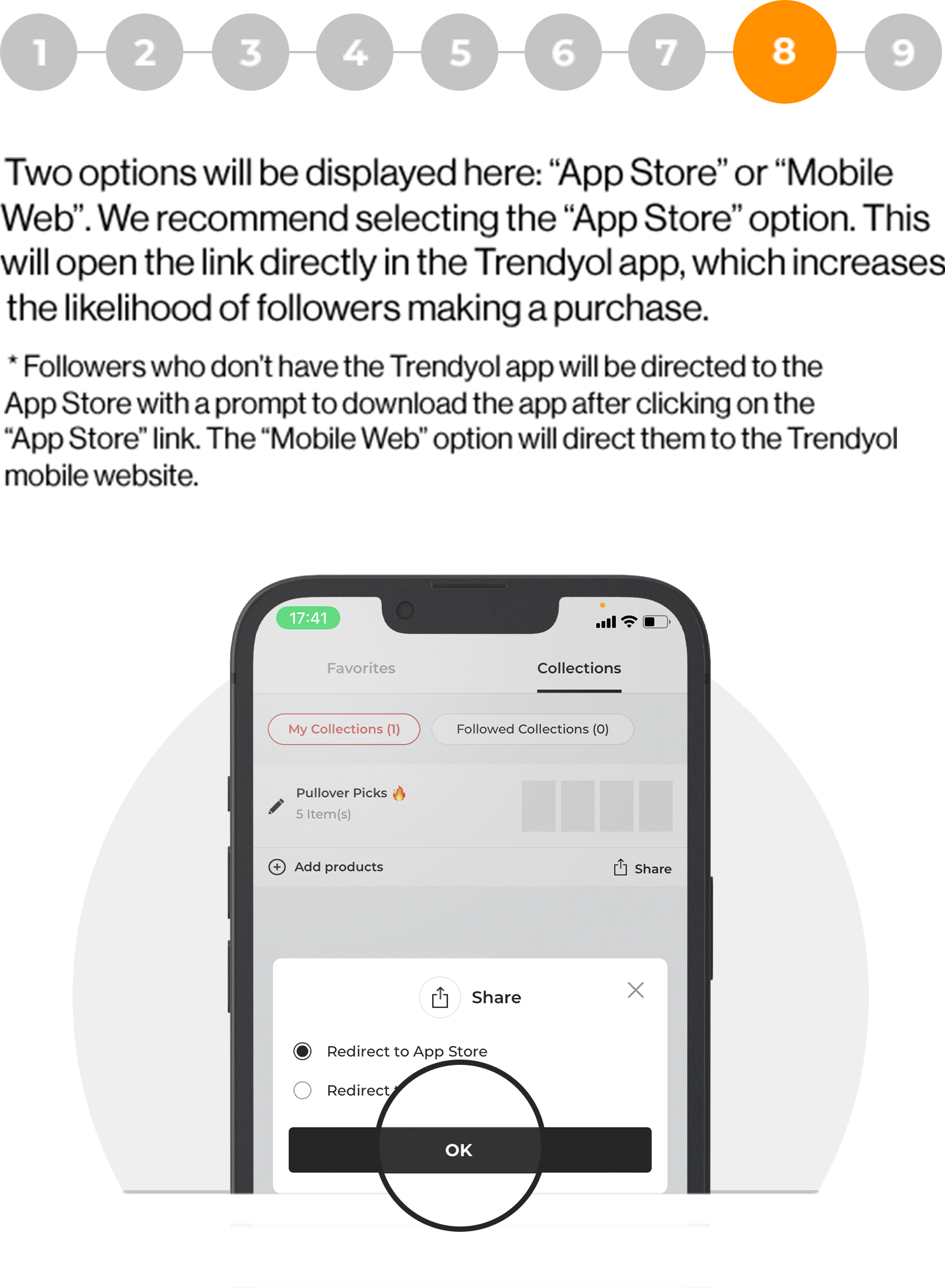
Your collection is ready! You can share your collection by
navigating to the bottom right and clicking on “Share”.
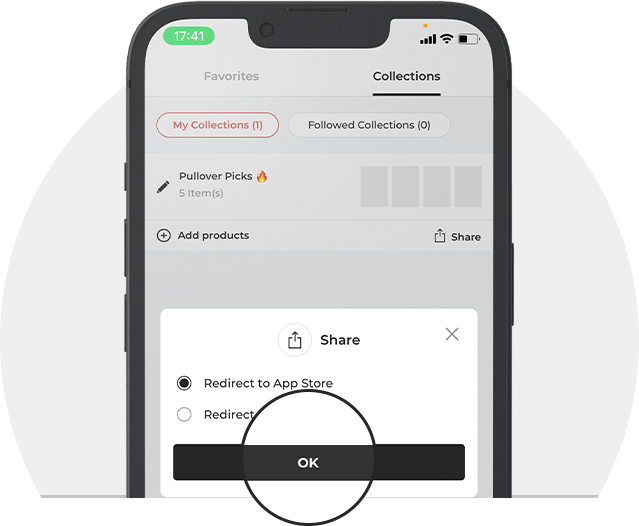
Two options may be displayed here. Please select 'Redirect to Mobile Web'.
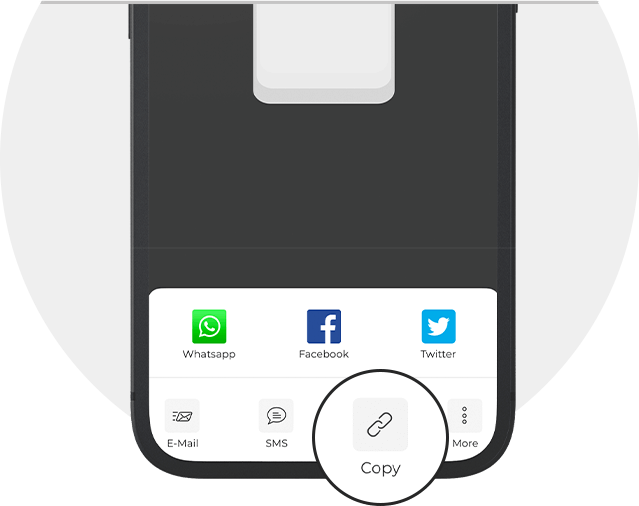
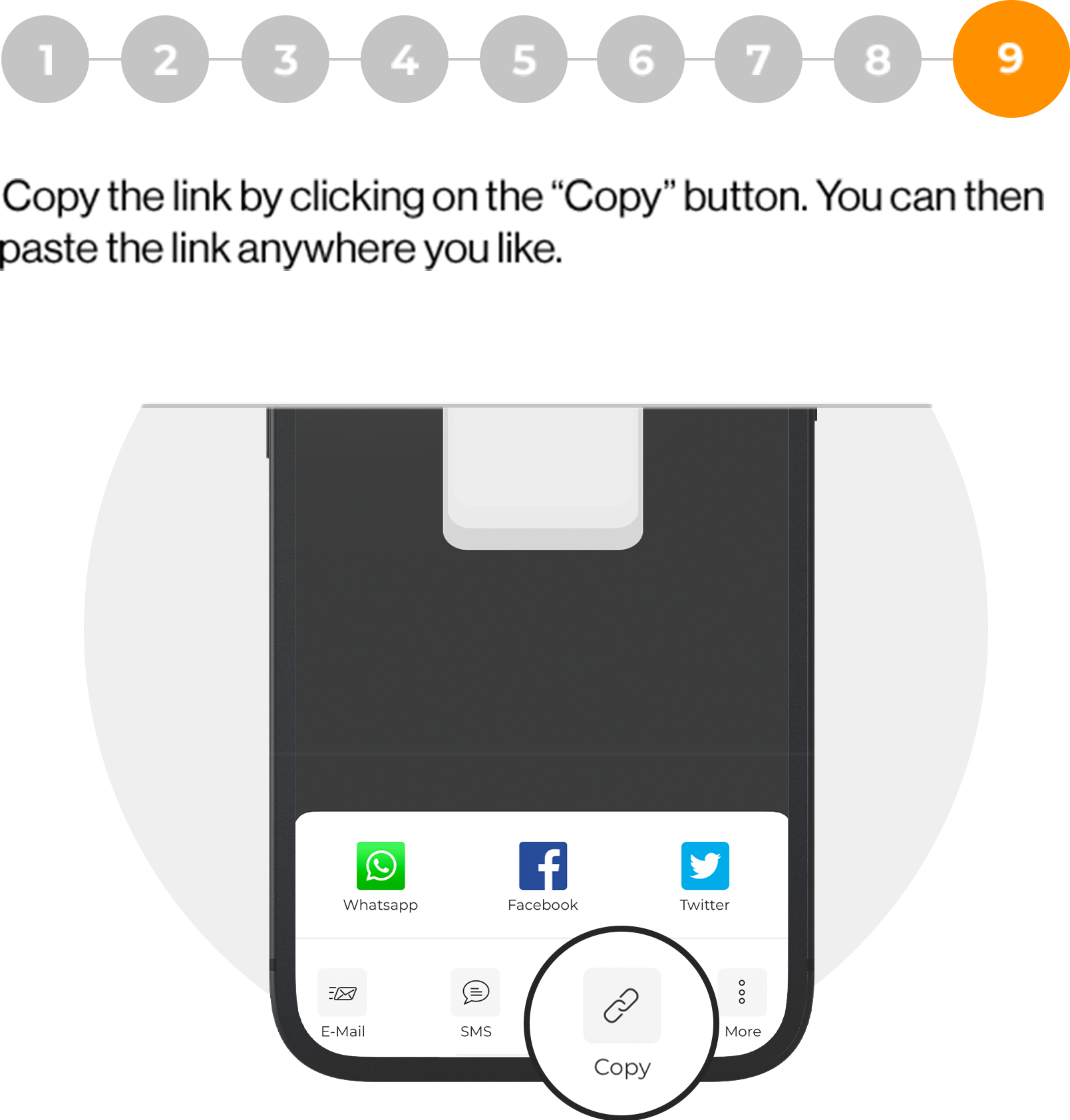
Copy the link by clicking on the “Copy” button. You can then
paste the link anywhere you like.