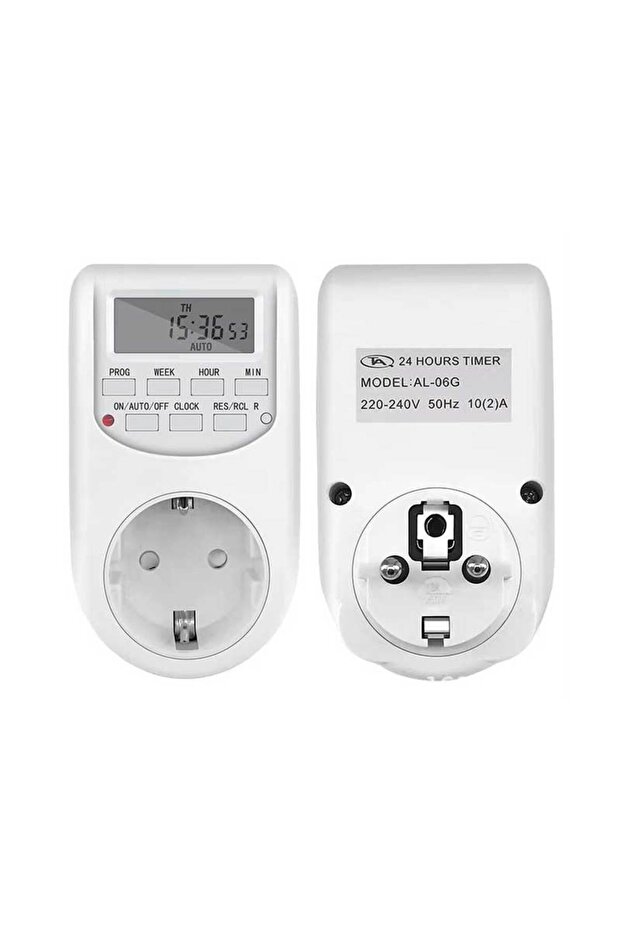
ALIEN Priza programabila digitala de interior
-67%
(incl. VAT)
Shipped from: Romania


Trendyol's commitments

Easy and free return in 30 days.


Highlighted features:
ALIEN Priza programabila digitala de interior features
ALIEN Priza programabila digitala de interior reviews
Product details
Product description
Main features: ✅ Number of programs: up to 16 programmable groups ✅ Housing material: polycarbonate (PC) ✅ Operating temperature: 0°C ~ 40°C ✅ Voltage / frequency: 230V, 50Hz (EU type) ✅ Accuracy: ±1 minute / month ✅ Minimum programmable interval: 1 minute.
Important notes: During setup, if no operation is performed for 20 seconds, the display will automatically to the local time.
To reset or recall saved data, press the 'RES/REC' button in the settings menu.
Current time setting: Hold the 'Clock' button and press 'Week' to select the day of the week.
Then press the 'Hour' and 'Minute' buttons to set the current hour and minute.
For quick adjustments, press and hold any of these buttons.
Release all buttons to save the current time and day.
For changes, reset and repeat the previous steps.
Start/stop program setting: Press the 'Timer' button - '1 ON' will appear on the screen.
Press 'Week' to choose the day or group of days, then set the hour and minute using the corresponding buttons.
Press 'Timer' again to switch to the stop programming - '1 OFF' will appear on the screen.
Repeat the same steps for stop settings.
The completed program is considered a setting group.
ed applications: Control indoor/outdoor lighting, home appliance automation, daily/weekly operation programs, energy savings in offices and homes.
Additional info
- EU Responsible details are here.
- Please refer to the actual product packaging or the user manual for information regarding storage conditions.
- A maximum of 5 units of this product can be ordered. Trendyol reserves the right to cancel orders over 5 units.
- Sold and fulfilled by .
- Barcode No: 09266346677800112


