


Livrare gratuită
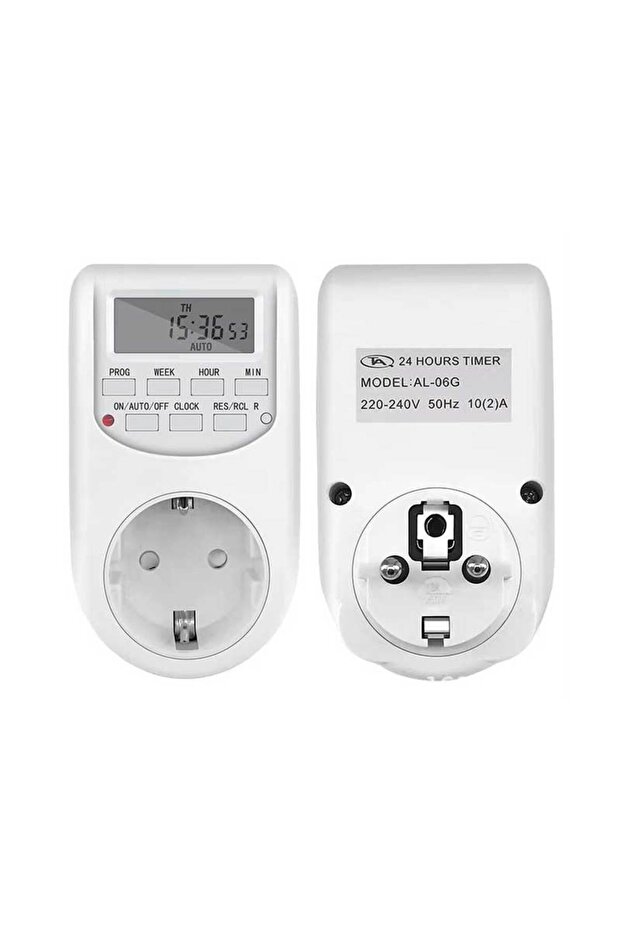
ALIEN Priza programabila digitala de interior
Nu există recenzii încă.
-68%
127
Lei
399
(incl. TVA)
Adresa de livrare
Livrare gratuită
Selectează adresa, află data livrării!
Livrare locală
Ridică-ți comanda de la cel mai apropiat punct de preluare când e mai bine pentru tine.
Angajamentele Trendyol
Retur ușor și gratuit în 30 de zile.
Metode de plată




Caracteristici recomandate:
Caracteristici ALIEN Priza programabila digitala de interior
Tip
Plug
Alte caracteristici
Control indoor/outdoor lighting, home appliance automation, daily/weekly operation programs, energy savings in offices and homes.
Cum se utilizează
În timpul configurării, dacă nu se efectuează nicio operațiune timp de 20 de secunde, afișajul va trece automat la ora locală. Pentru a reseta sau a rechema datele salvate, apăsați butonul „RES/REC” din meniul de setări. Setarea orei curente: Țineți apăsat butonul „Clock” și apăsați „Week” pentru a selecta ziua săptămânii. Apoi apăsați butoanele „Hour” și „Minute” pentru a seta ora și minutul curente. Pentru ajustări rapide, apăsați și țineți apăsat oricare dintre aceste butoane. Eliberați toate butoanele pentru a salva ora și ziua curente. Pentru modificări, resetați și repetați pașii anteriori. Setarea programului de pornire/oprire: Apăsați butonul „Timer” - pe ecran va apărea „1 ON”. Apăsați „Week” pentru a alege ziua sau grupul de zile, apoi setați ora și minutul folosind butoanele corespunzătoare. Apăsați din nou „Timer” pentru a trece la programarea opririi - pe ecran va apărea „1 OFF”. Repetați aceiași pași pentru setările de oprire. Programul finalizat este considerat un grup de setări.
Articole similare





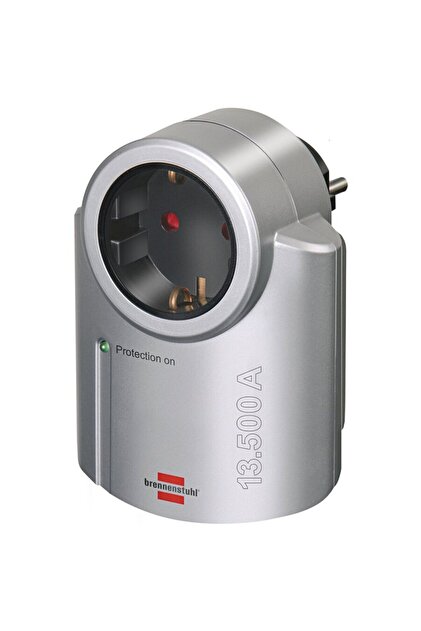

 Primera gri 1x






Cumpărătorii au mai văzut





Recenzii ALIEN Priza programabila digitala de interior
Nu există recenzii încă.
Detalii despre produs
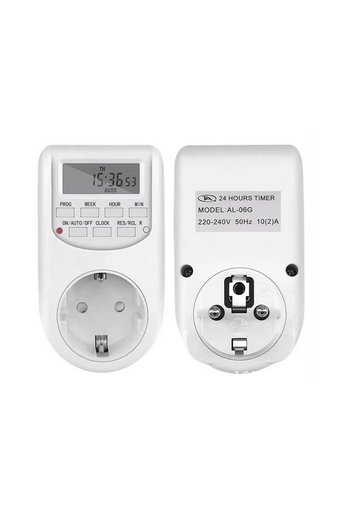
Descrierea produsului
Caracteristici principale: ✅ Număr de programe: până la 16 grupuri programabile ✅ Material carcasă: policarbonat (PC) ✅ Temperatură de funcționare: 0°C ~ 40°C ✅ Tensiune / frecvență: 230V, 50Hz (tip UE) ✅ Precizie: ±1 minut / lună ✅ Interval minim programabil: 1 minut.
Note importante: În timpul configurării, dacă nu se efectuează nicio operațiune timp de 20 de secunde, afișajul va reveni automat la ora locală.
Pentru a reseta sau a rechema datele salvate, apăsați butonul „RES/REC” din meniul de setări.
Setarea orei curente: Țineți apăsat butonul „Ceas” și apăsați „Săptămână” pentru a selecta ziua săptămânii.
Apoi apăsați butoanele „Oră” și „Minut” pentru a seta ora și minutul curent.
Pentru ajustări rapide, apăsați și mențineți apăsat oricare dintre aceste butoane.
Eliberați toate butoanele pentru a salva ora și ziua curente.
Pentru modificări, resetați și repetați pașii anteriori.
Setarea programului de pornire/oprire: Apăsați butonul „Timer” - pe ecran va apărea „1 ON”.
Apăsați „Week” pentru a alege ziua sau grupul de zile, apoi setați ora și minutul folosind butoanele corespunzătoare.
Apăsați din nou „Timer” pentru a comuta la oprirea programării - pe ecran va apărea „1 OFF”.
Repetați aceiași pași pentru setările de oprire.
Programul finalizat este considerat un grup de setări.
Aplicații: Controlul iluminatului interior/exterior, automatizarea electrocasnicelor, programe de funcționare zilnice/săptămânale, economisirea energiei în birouri și locuințe.
Informații suplimentare
- Detaliile responsabilului UE sunt aici.
- Consultă ambalajul produsului sau manualul utilizatorului pentru informații privind condițiile de depozitare.
- Se pot comanda maximum 5 (de) unități din acest produs. Trendyol își rezervă dreptul de a anula comenzile cu mai mult de 5 unitate/unități.
- Vândut de .
- Cod de bare nr.: 09266346677800112
Caracteristici ALIEN Priza programabila digitala de interior
Tip
Plug
Simbol de conformitate CE
Nu apare în imaginea produsului
Alte caracteristici
Control indoor/outdoor lighting, home appliance automation, daily/weekly operation programs, energy savings in offices and homes.
Cum se utilizează
În timpul configurării, dacă nu se efectuează nicio operațiune timp de 20 de secunde, afișajul va trece automat la ora locală. Pentru a reseta sau a rechema datele salvate, apăsați butonul „RES/REC” din meniul de setări. Setarea orei curente: Țineți apăsat butonul „Clock” și apăsați „Week” pentru a selecta ziua săptămânii. Apoi apăsați butoanele „Hour” și „Minute” pentru a seta ora și minutul curente. Pentru ajustări rapide, apăsați și țineți apăsat oricare dintre aceste butoane. Eliberați toate butoanele pentru a salva ora și ziua curente. Pentru modificări, resetați și repetați pașii anteriori. Setarea programului de pornire/oprire: Apăsați butonul „Timer” - pe ecran va apărea „1 ON”. Apăsați „Week” pentru a alege ziua sau grupul de zile, apoi setați ora și minutul folosind butoanele corespunzătoare. Apăsați din nou „Timer” pentru a trece la programarea opririi - pe ecran va apărea „1 OFF”. Repetați aceiași pași pentru setările de oprire. Programul finalizat este considerat un grup de setări.
Informații privind siguranța
Informații despre siguranța produsului


